Leveraging AWS SSO (aka Identity Center) with Google Workspaces - version 2
This is a revised version of the original post Leveraging AWS SSO (aka Identity Center) with Google Workspaces based on the new announcement AWS IAM Identity Center now supports automated user provisioning from Google Workspace The original post is still valid, and in someways may be better, but this version has it’s own advantages.
Setting up AWS IAM Identity Center (successor to AWS Single Sign-On), hereafter called AWS SSO (because I have to pay AWS for egress on this site), is an excellent service to help you get rid of IAM users and enforce identity best practices around second-factor authentication, on and off-boarding employees, and assigning the right level of access depending on job function.
Companies using Google Workspaces for email and collaboration can also leverage their Google accounts to access AWS via AWS SSO. The process isn’t clearly documented, and the provisioning support isn’t integrated, so here is a post to help you set it all up.
Prerequisites
We assume you already signed up for Google Workspaces or configured Google for Cloud Identity. The person performing this must be a SuperAdmin and have access to admin.google.com. This post also assumes you’ve set up AWS SSO.
What about Second Note: Throughout this document, I refer to Google Workspace users, but users do not need a Workspace license. Google Cloud Identity users work the same as Workspace users.
Setting up Google as the authentication mechanism for AWS SSO
Go ahead and open three browser windows/tabs. One with this post, one for the AWS Console, and one for the Google Admin page.
Start Configuring the AWS SSO Identity Store
Make sure you’re doing this as an IAM User, or you might get locked out of your AWS account
- Navigate to AWS SSO in the console
- Click on Settings
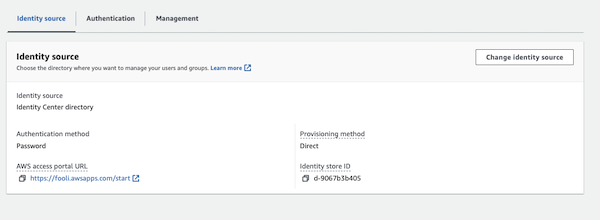
- Under Identity Source, click on the Actions drop-down and select “change identity source”.
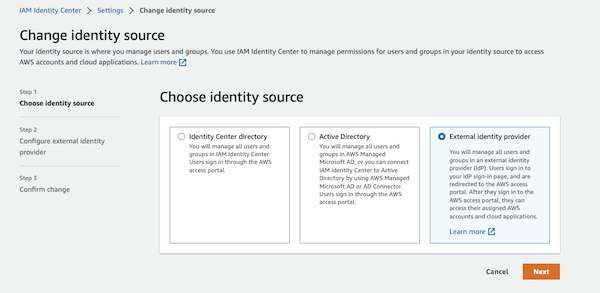
- Select “External identity provider” and click Next
Create the SAML Application in Google
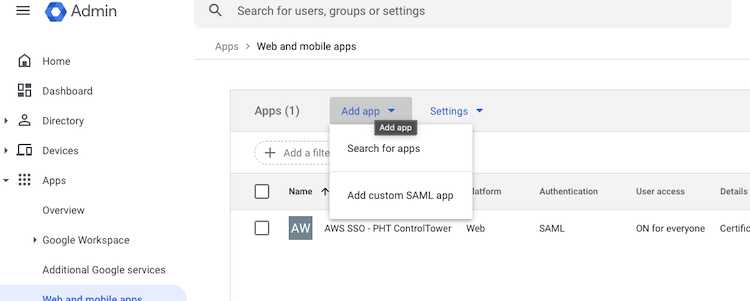
- In the Google admin page, click “Add App” and search for the “Amazon Web Services” App
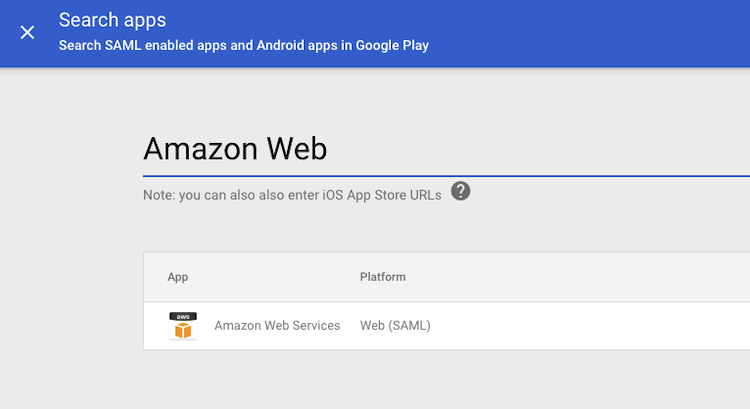
- Download the Metadata (you’ll need it in a minute), and click Continue.
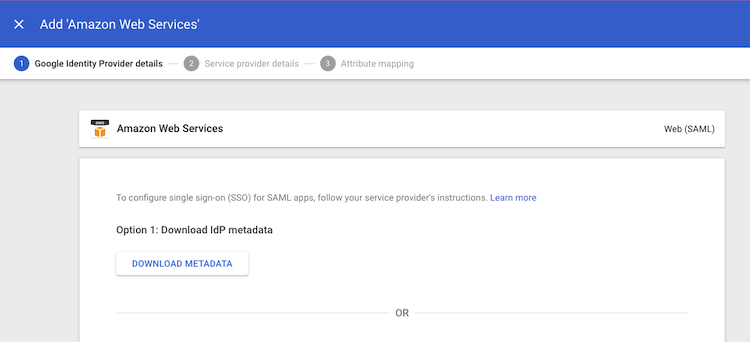
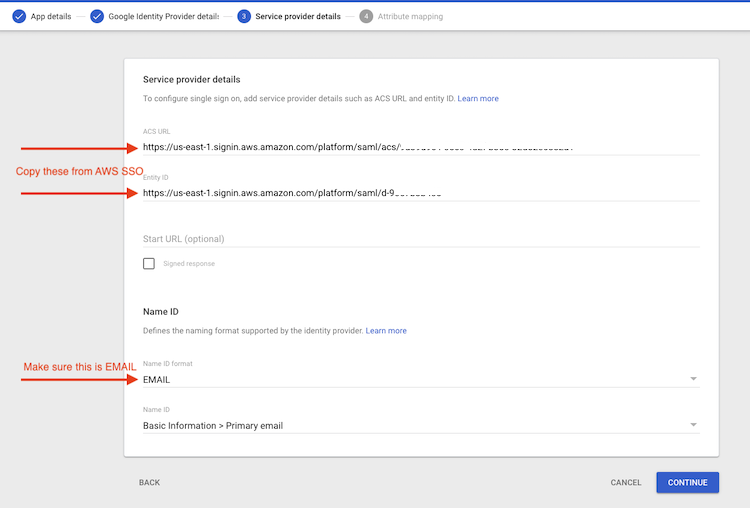
- Copy the “IAM Identity Center Assertion Consumer Service (ACS) URL” from the AWS SSO Console to the “ACS URL” in Google
- Copy the “IAM Identity Center issuer URL” from the AWS SSO Console to the “Entity ID” in Google
- Make sure “Name ID format” is “EMAIL”, and click continue
- Define the mandatory attributes.
RoleSessionNameshould bePrimary Email. WhileRolecan be any value, since that’s not required by AWS SSO.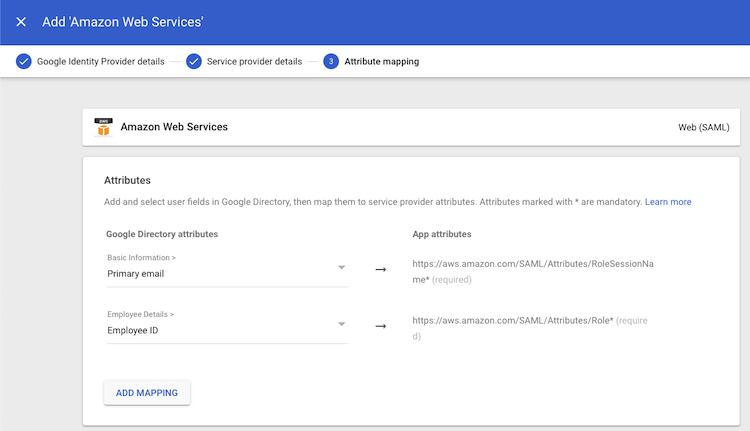
- Click Finish to create the Application
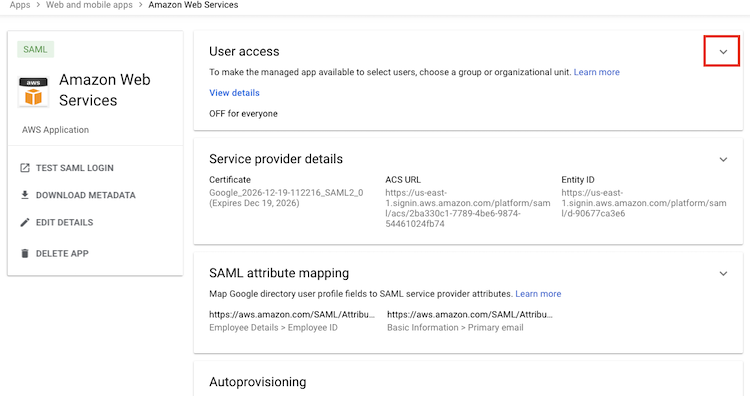
- Expand the User Access section and make sure that the “service status” is On for Everyone.
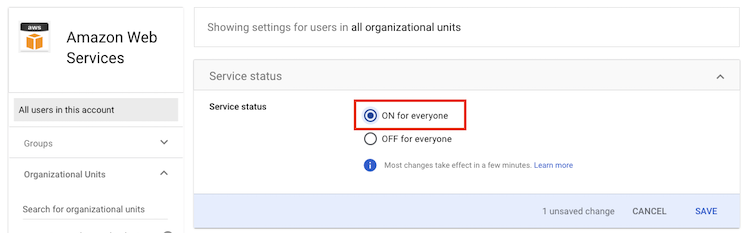
Finish the AWS SSO Setup
- Upload the file
GoogleIDPMetadata.xmlas the Identity provider metadata in AWS SSO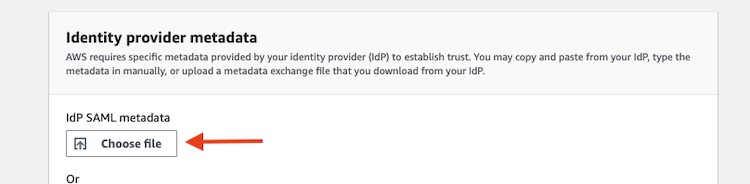
- Click Next, enter “ACCEPT”, and click “Change identity source.”
Automatic User Provisioning
Here is where the difference between the two versions of this post diverge greatly. With the AWS provide ssosync tool, you needed to do all sorts of GCP service account creation, key generation, and domain-wide delegation. With the Amazon Web Services Google Workspace App, all of that is now handled for you.
The problem with the new app is that it only syncs users it doesn’t sync groups! And when you enable SCIM provisioning in AWS Identity Center, all of the console mechanisms for creating groups and managing group membership go away. You can still manage groups via the CLI and API, but that’s not a trivial process since the CLI wants user & group IDs rather than human readable names.
Additionally, the Google app only syncs users that are members of existing AWS SSO Groups (or is a member of the “Provisioning scope” group.) So this newer way of autoprovisioning is only useful if you want to manually assign users to accounts / permission sets, or if you plan to automate authorization via terraform, and manually create groups in both Google Workspaces and AWS SSO.
Begin Setup of AWS SSO Provisioning
- Enable Automatic Provisioning
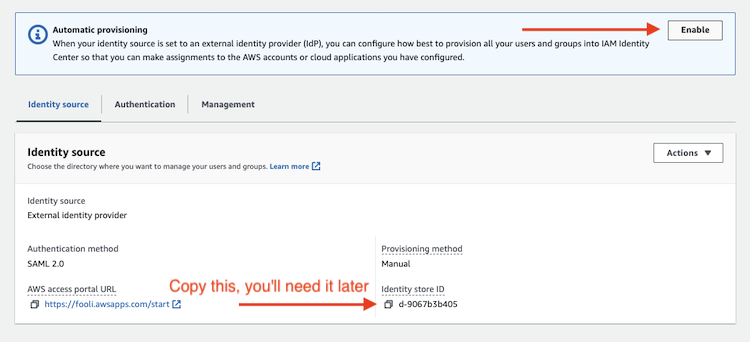
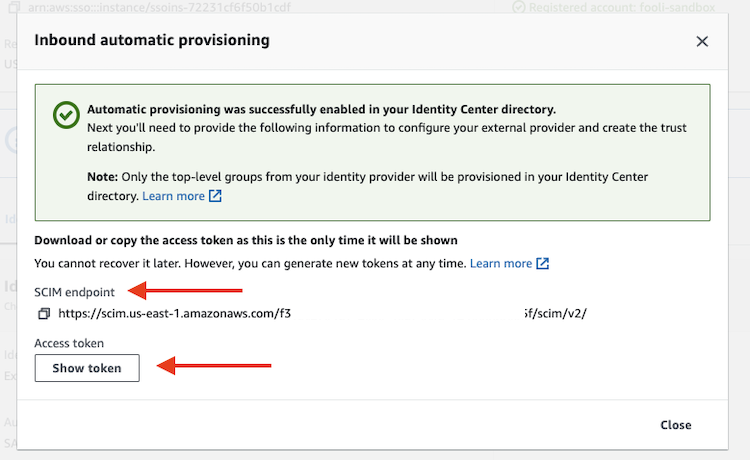
- Copy the SCIM Endpoint and Access Token
- Copy the Identity Store ID (see above)
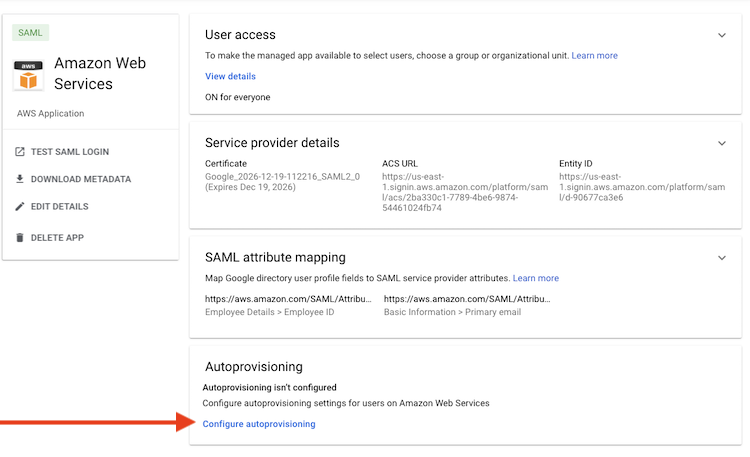
- Click “Configure Autoprovisioning” in the Google app
- In the first dialog box, enter the Access Token
- in the second dialog box, enter the SCIM endpoint
- You can leave the Attribute mappings at their defaults.
- You can leave “Provisioning scope (optional)” blank.
- Finally set the Deprovisioning. I stick with the defaults except to “Hard delete the account in Amazon Web Services” “When a user is deleted from Google”. Then click Finish.
- Finally, set Autoprovisioning to active.
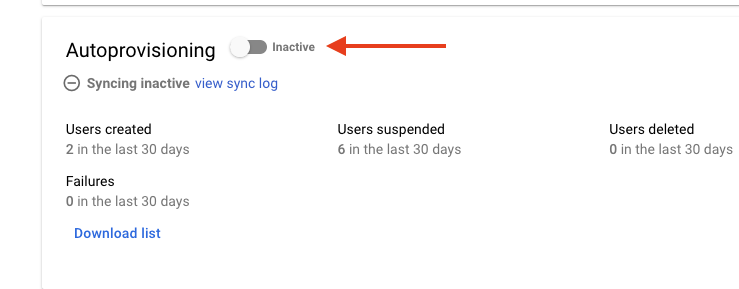
Unlike AzureAD, Google Workspaces promptly triggers a sync when this is configured or users are changed.
Final thoughts
The new Google App can still be used with the old provisioning method. And frankly that’s how I think I’m going to proceed going forward.
The autoprovisioning in the new App is too immature to be useful, but might get there someday. What I hope is there is a method by which I can specify a prefix of Groups which would be sync’ed to AWS SSO, rather than all Google groups being synced.